
Video Manual
Instructional videos for LoopPad, LP1, LP2, LP3 and Raspberry Pi LP1. Many features work across all devices — only the interface differs.
Latest Video
Volume functions: Feedback (Part 3)
LoopPad LP1 LP2 Raspberry Pi LP1
Feedback works like an audio delay line: each time the loop repeats, the feedback level sets how much the sample is reduced until it fades away entirely.
Getting Started

Getting Started Guide: The LoopPad Is Here
LoopPad
An introduction to the LoopPad and how to start live looping with it.
MIDI Control

Assigning MIDI and pad commands to functions
LoopPad
How to assign MIDI messages and LoopPad pads to looper functions for hands-free control.

Raspberry Pi LP1 MIDI control
Raspberry Pi LP1
Setting up MIDI control for the Looperlative LP1 running on a Raspberry Pi.

Programming a MIDI button
LP1
A walkthrough of programming your LP1 to respond to a MIDI controller button.
Recording & Tracks
Volume functions: Feedback (Part 3)
LoopPad LP1 LP2 Raspberry Pi LP1
Feedback works like an audio delay line: each time the loop repeats, the feedback level sets how much the sample is reduced until it fades away entirely.

Volume functions: Level, Fade, and Swell in action (Part 2)
LoopPad LP1 LP2 Raspberry Pi LP1
A demonstration of the volume functions described in part 1 — level, fade, and swell — used in a performance.

Volume functions: Level, Feedback, Fade, and Swell (Part 1)
LoopPad LP1 LP2 Raspberry Pi LP1
The first part of a look at the volume functions — level, feedback, fade, and swell — and how to use them while performing.

Pitch and time functions
LoopPad LP1 LP2 Raspberry Pi LP1
Using the LoopPad pitch and time functions to change the speed and pitch of your loops.

Recording synchronized tracks
LoopPad LP1 LP2 Raspberry Pi LP1
Learn how to record multiple tracks in perfect synchronization with your looper.
Using synchronous record
LoopPad LP1 LP2 Raspberry Pi LP1
How to use synchronous record to keep new material locked to the existing loop.

Track switching
LoopPad LP1 LP2 Raspberry Pi LP1
Switch between tracks to build complex arrangements during a performance.

Programming and using the scramble and ostinato features
LoopPad LP1 LP2 Raspberry Pi LP1
How to program and perform with the scramble and ostinato playback features.
Firmware & Setup
Installing Looperlative on a Raspberry Pi + Pisound
Raspberry Pi LP1
A step-by-step guide to installing the LP1 software on a Raspberry Pi with Pisound.
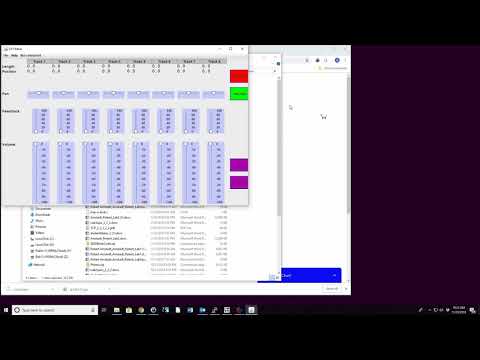
Upgrading an LP1 GenA from v1.x firmware to v2.22
LP1
Follow this tutorial to safely upgrade your LP1 GenA from v1.x firmware to v2.22.